"Automatically" covers 4 different things, and the gap between them is the difference between a report you trust and a report someone re-checks in ClickUp before every meeting.
Here is what each refresh model delivers, what it costs, and how to pick. If you have not settled on a route yet, the 4 ways to get ClickUp into Sheets comes first; this page assumes you have one and are choosing how often it runs.
The 4 models
Manual on demand. You press a button and the tab refreshes. The data is exactly as fresh as the last time somebody pressed it.
On a schedule. Something wakes up every N minutes or hours, reads the whole List, and rewrites the tab. Freshness is bounded by the interval and the load is constant whether anything changed or not.
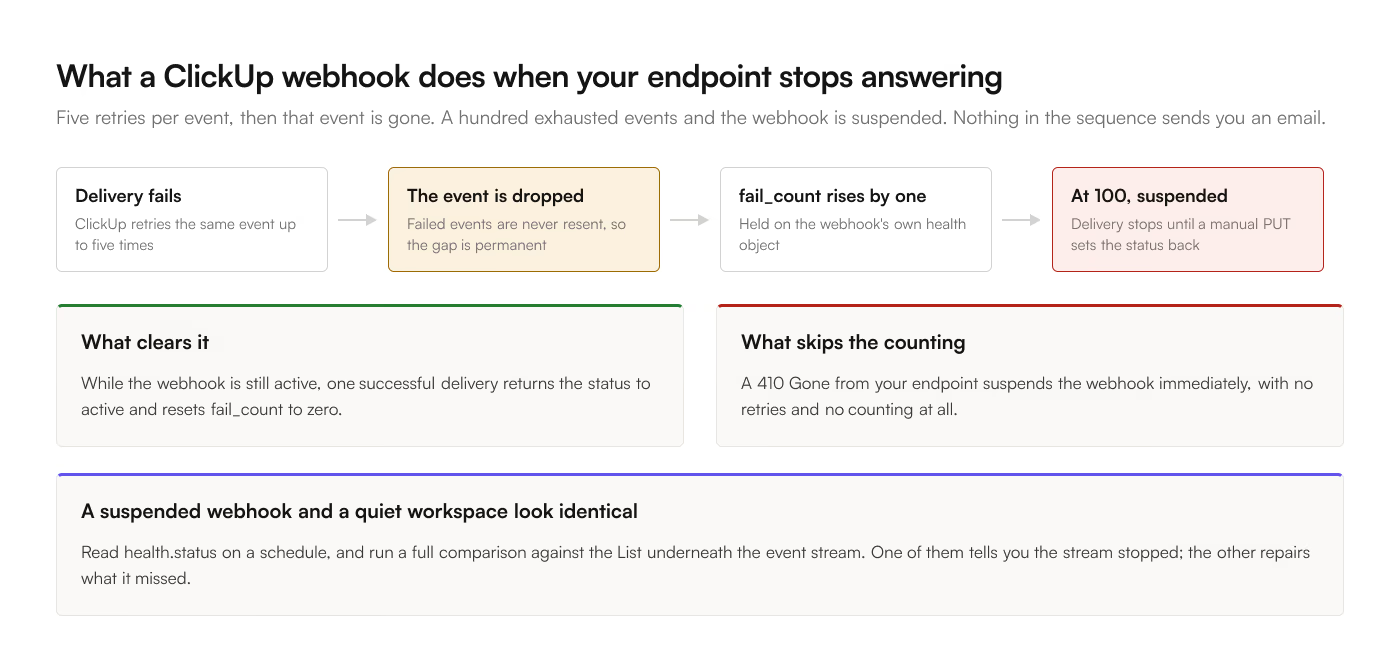
Event-driven. A webhook fires when a task changes and one row updates. Freshness is seconds; the cost scales with how much changes.
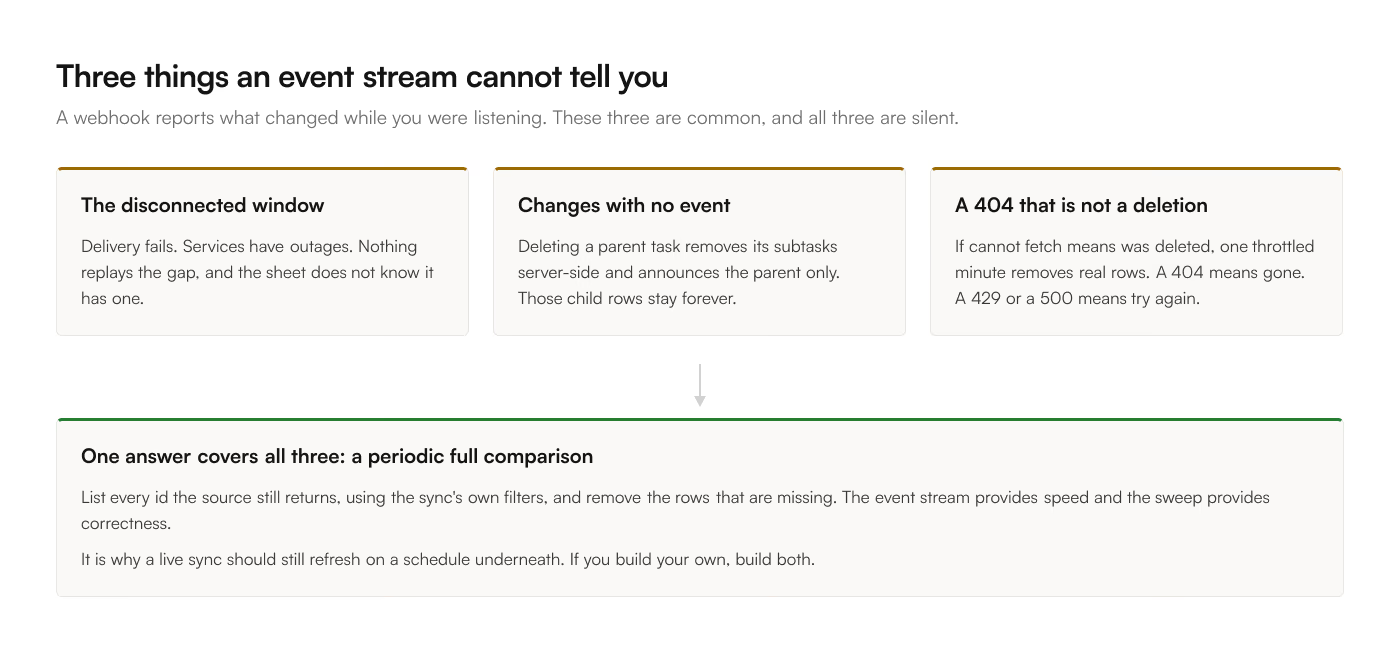
Live with periodic reconciliation. Events for speed, plus a full comparison on a slower cadence to catch whatever the event stream missed. This is what a production sync looks like, and the second half is the part people leave out.
Cost per model
| Model | Freshness | Cost driver | Fails by |
|---|---|---|---|
| Manual | Whenever pressed | Nothing | Being forgotten |
| Polled | The interval | Rows x runs | Wasting reads on quiet Lists |
| Event | Seconds | Changes | Missing events nothing announced |
| Live plus reconcile | Seconds | Changes, plus one sweep | Little, if the sweep is safe |
Setting each one up
Setup differs per model. The notes below assume you already picked one.
Manual
Each route offers this. In ClickUp to Sheets it is the Starter plan behavior at $9 a month: open the sidebar, hit sync. In Apps Script it is running the function from the editor.
Manual is the right answer more often than people admit. If the report is read in a Monday meeting, a sync run at 9am Monday is as good as a live one, and it is the cheapest and simplest thing that works.
It fails the same way every manual process fails. Someone is away, the button goes unpressed, and a decision gets made on 3-week-old numbers with no visible sign that anything is stale. If you go manual, put =NOW() beside the sync button's output and read it before you read the data.
Polled on a schedule
In Apps Script, a time-driven trigger. Edit, Current project's triggers, add a trigger, pick your function and an interval. Apps Script offers minute-based intervals down to one minute, hourly, and daily. The 6-minute execution ceiling applies to each run, so a large List needs the checkpointing described in the ClickUp API guide.
In Make, a scheduled scenario. Free is capped at a 15-minute minimum interval, paid plans go down to one minute. Cost is per module action, so a scheduled full refresh is per row per run, which adds up quickly. The Make comparison runs those numbers.
In Zapier, polling is a property of the plan rather than a setting: 15 minutes on Free, 2 minutes on Professional, 1 minute on Team.
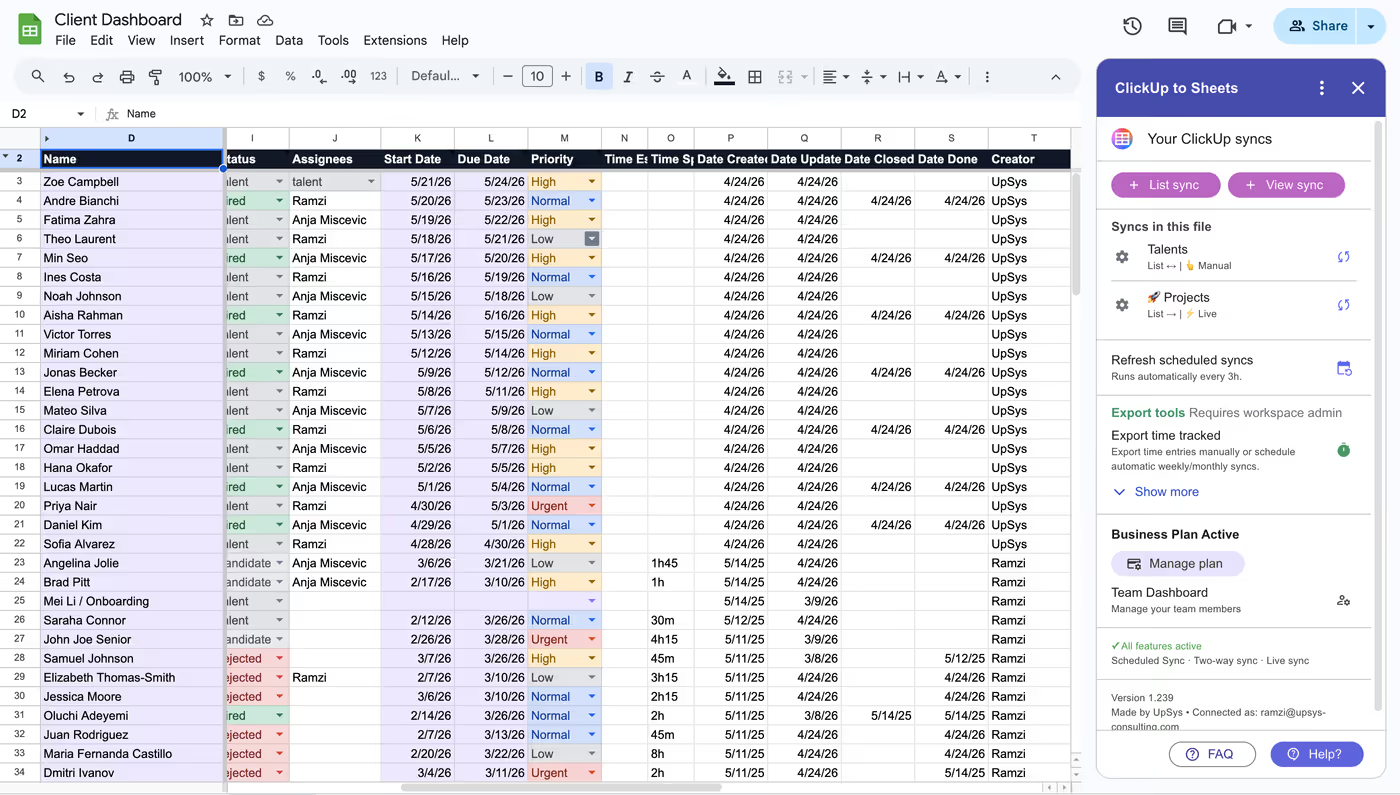
In ClickUp to Sheets, scheduled sync runs every 3 hours on the Pro plan and above. 3 hours is a deliberate choice: it is fresher than any human refresh cadence and it does not hammer ClickUp's 100-requests-per-minute limit with reads of a List nobody changed.
Event-driven and live
An event sync needs a webhook, which needs a server to receive it. That rules out pure Apps Script, because a Google Sheet has no endpoint that stays warm.
Zapier and Make both offer instant ClickUp triggers, which is real, and both meter per event. A bulk status change across a sprint is one event per task, and the arithmetic in the Zapier comparison shows how fast that eats a monthly quota.
ClickUp to Sheets runs live sync on the Business plan at $39 a month, flat, with two-way as part of the same plan: a change in ClickUp lands in the sheet in seconds, and an edit in the sheet goes back to ClickUp.